Bindable SAPUI5 Filters Are Finally Here!

SAPUI5 has let you bind almost everything in XML for years. The one place that quietly refused to cooperate was the value inside a filter. Put "{/someProperty}" into the value1 property of a sap.ui.model.Filter and the framework would happily filter for the literal string {/someProperty}, brackets and all. A common controller or helper-module pattern grew up around this gap: read a value from a model, build a new sap.ui.model.Filter, call binding.filter(...), repeat on every change event.
SAPUI5 1.146 closes that gap. value1 and value2 of sap.ui.model.Filter now support data binding expressions when the filter is used as a bound application filter.12 The aggregation re-evaluates and updates the bound control automatically when the bound value changes.
The old shape
The historical request goes back to OpenUI5 issue #130, opened in 2014.3 The motivating example in that issue is essentially what bound filters now solve directly: a table where each row has a dropdown, and the dropdown's item list should be filtered by a column value of that same row. Until 1.146, that needed either a binding factory and per-row controller code, or a brittle template workaround.
Assuming Filter and FilterOperator are imported in the controller module, the plain controller pattern looked like this:
onSearchChange(event) {
    const prefix = event.getParameter("value");
    const binding = this.byId("ticketsTable").getBinding("items");
    binding.filter([
        new Filter({ path: "subject", operator: FilterOperator.Contains, value1: prefix })
    ]);
}
Functional, but every input field that contributes to filtering needs its own handler, and the binding's filter set is rebuilt from scratch on every change. The XML aggregation binding tells you what is shown but says nothing about how the filtering works. The two halves of the same idea live in different files.
The new shape
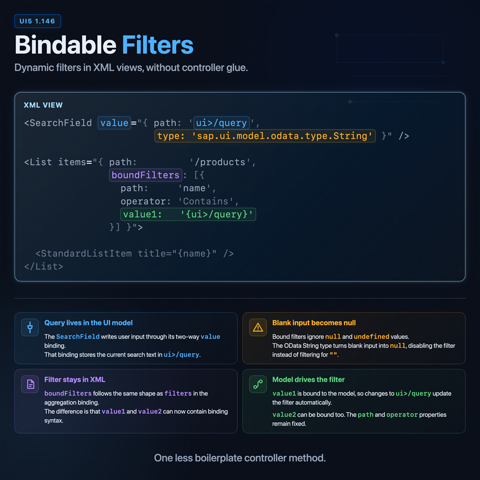
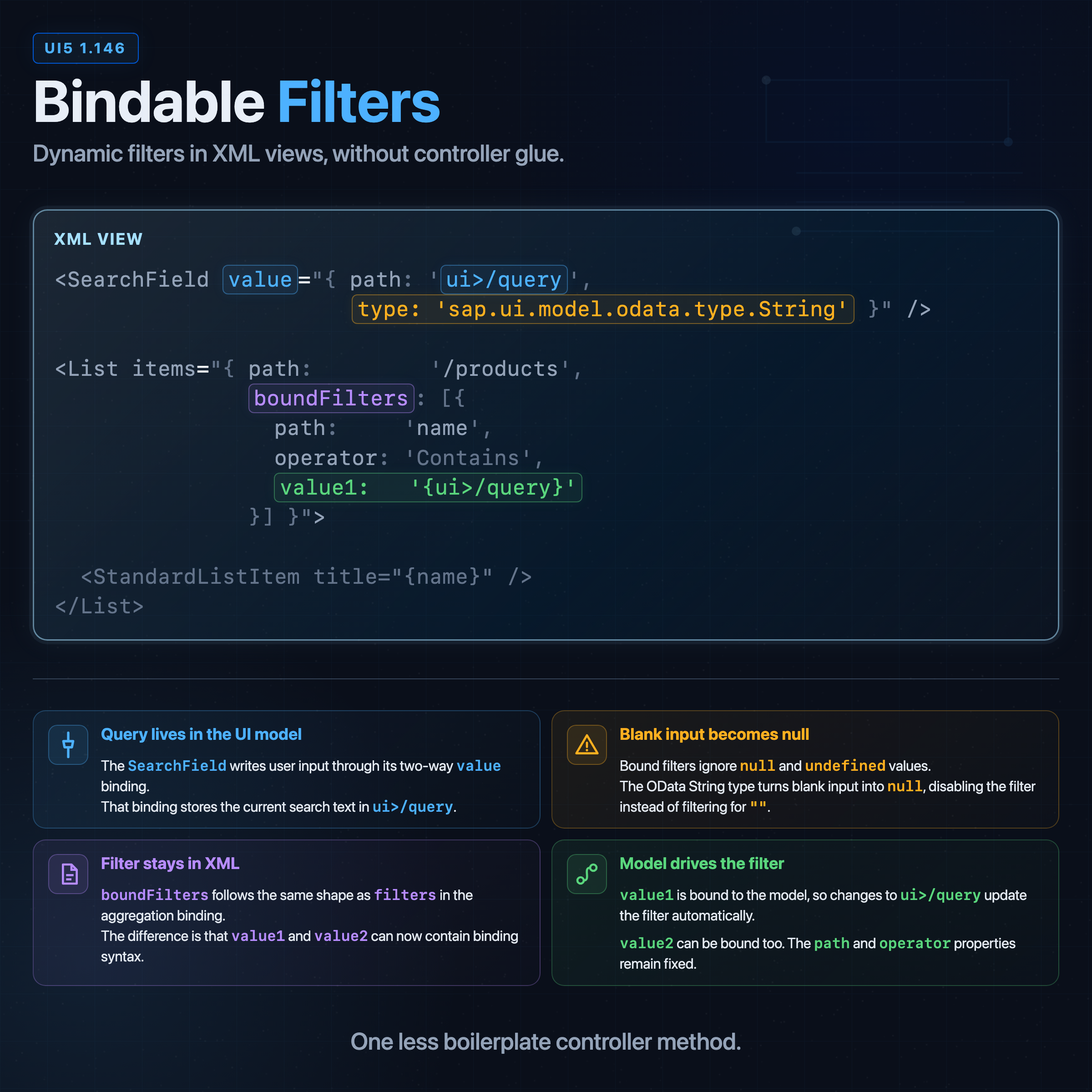
boundFilters is a new property of the aggregation binding info, next to path, sorter, filters, and parameters. Each entry is an ordinary filter object, except value1 and value2 may be binding expressions:2
<Table id="ticketsTable" items="{path: '/tickets',
    boundFilters: [
        { path: 'subject',  operator: 'Contains', value1: '{ui>/searchText}' },
        { path: 'category', operator: 'EQ',       value1: '{ui>/category}' }
    ]
}">
    ...
</Table>
There is no controller code attached to this. When /searchText in the ui model changes, the binding re-evaluates and the table updates. The filter object's shape is unchanged: path, operator, value1, value2. The special behavior comes from being declared in boundFilters rather than filters.
Row context resolves per row
The strongest demonstration of bound filters is a nested aggregation whose filter value depends on the enclosing row. A support-desk list works well for this. Each ticket has a category. Each specialist also has a category. The row's Select should only show specialists whose category matches the ticket's category, with no controller code in sight.
This is an excerpt from an XML view with the default sap.m namespace and xmlns:core="sap.ui.core" declared:
<Table id="ticketsTable" items="{/tickets}">
    <columns>
        <Column><Text text="Ticket"/></Column>
        <Column><Text text="Category"/></Column>
        <Column width="14rem">
            <Text text="Assign to specialist (filtered by category)"/>
        </Column>
    </columns>
    <items>
        <ColumnListItem>
            <cells>
                <Text text="{subject}"/>
                <Text text="{category}"/>
                <Select selectedKey="{specialistId}"
                    forceSelection="false"
                    items="{path: '/specialists', templateShareable: false,
                        boundFilters: [{
                            path: 'category',
                            operator: 'EQ',
                            value1: '{category}'
                        }]}">
                    <core:Item key="{id}" text="{name}"/>
                </Select>
            </cells>
        </ColumnListItem>
    </items>
</Table>
Run this against a JSON model with six tickets across three categories (Billing, Network, Account) and eight specialists, three or two per category. Open the dropdown on a Billing-category row and only the Billing specialists appear. Open it on a Network row and only the Network specialists appear. '{category}' resolves against the binding context of the enclosing row, so every cloned Select filters by its own row's value.
templateShareable: false is not decorative. The Select item template is part of a nested aggregation whose filter value is resolved through the enclosing row. Treating that template as not shareable keeps each cloned row's Select binding tied to its own row context instead of reusing a template in a place where the binding carries row-specific state.
Neutral filters
A bound filter is neutral when its bound value is nullish, and neutral filters are not considered when filtering. In other words, an unfilled toolbar input does not turn into WHERE subject Contains ''; it drops out of the filter set entirely. That makes optional filters readable:
- Set
/searchTexttonull, and the subject filter disappears. - Set
/categorytonull, and the category filter disappears. - Set everything to
null, and the table is unfiltered.
Only bound filters can disappear this way. A normal filter with a fixed value still behaves like the fixed filter you wrote. A bound filter drops out while its bound value is undefined or null; range operators such as BT (between) and NB (not between) also drop out when one boundary is missing. Nested filter groups are cleaned up after that, so a group that contains only neutral filters disappears too.4
Empty input is not automatically null. A plain <Input value="{ui>/searchText}"/> feeds the literal empty string into the filter, and the filter stays active. For StartsWith and Contains that empty string matches every non-null value, which is rarely what a blank input field is meant to express. Wiring the input through sap.ui.model.odata.type.String maps empty input to null and therefore back to a neutral filter:5
<Input value="{path: 'ui>/searchText',
    type: 'sap.ui.model.odata.type.String'}"/>
The type is what turns "blank" into "no filter".
Replacing bound filters from a controller
Initial bound filters cover the common case, but some screens still need controller code to replace one active filter group with another. The new FilterType.ApplicationBound distinguishes that case from the existing FilterType.Application:
FilterType.Applicationreplaces the regular application filter bucket, the filters that came fromfiltersin the aggregation binding info.FilterType.ApplicationBoundreplaces the bound application filter bucket, the filters that came fromboundFilters.FilterType.Controlis unchanged and still owned by controls.
Assuming Filter, FilterOperator, and FilterType are imported in the controller module:
const subjectFilters = [
    new Filter({
        path: "subject",
        operator: FilterOperator.Contains,
        value1: "{ui>/searchText}"
    })
];

const categoryFilters = [
    new Filter({
        path: "category",
        operator: FilterOperator.EQ,
        value1: "{ui>/category}"
    })
];

onToggleSearchMode() {
    const ui = this.getView().getModel("ui");
    const next = ui.getProperty("/mode") === "subject" ? "category" : "subject";
    ui.setProperty("/mode", next);
    const filters = next === "subject" ? subjectFilters : categoryFilters;
    const binding = this.byId("ticketsTable").getBinding("items");
    binding.filter(filters, FilterType.ApplicationBound);
}
The values stay bindings even when the filters are constructed in JavaScript. Each filter then participates in the binding lifecycle the same way the XML-declared ones do, and switching filter sets does not require touching the values themselves.
The split between Application and ApplicationBound matters in practice. Calling binding.filter(..., FilterType.Application) no longer wipes the boundFilters bucket as a side effect, and replacing boundFilters does not touch the regular filters bucket. The base mixin in sap.ui.model.AggregationBinding and the ManagedObjectBindingSupport glue in the sap.ui.model source module preserve both buckets explicitly.6
What works and what does not
The feature is implemented in the bindings, not in the Filter class on its own. Confirmed model and binding support, from the guide:2
| Model or binding | Bound filters |
|---|---|
List and tree bindings from sap.ui.model.odata.v4.ODataModel | Supported |
Subclasses of sap.ui.model.ClientModel (JSONModel, XMLModel) | Supported |
sap.ui.model.odata.v2.ODataListBinding | Supported |
| Custom list / tree bindings | Only if filter calls computeApplicationFilters before FilterProcessor.combineFilters |
For custom bindings the rule is concrete: combineFilters removes neutral filters as part of its merge, so application filters must be computed first via computeApplicationFilters to keep the regular and bound application-filter buckets consistent. SAP's guide states the requirement directly; bindings that skip that step are outside what the framework is documented to support.
A few caveats worth keeping in view:
- Bound filter values can be any
sap.ui.base.ManagedObject.PropertyBindingInfo, but bound filters in XML views do not support XML-view-specific syntactic constructs. The"."prefix for controller-side formatter functions and module-aliased type references inside the binding both fail. - Server-side filtering still depends on the model, operation mode, and what the backend will accept.
- Bound filters do not eliminate controller code. They eliminate the specific controller code that rebuilt filter objects in response to property changes. Anything else, such as conditional filter groups or filters derived from non-binding state, still belongs in JavaScript.
Closing
The conceptual payoff is small and entirely positive. A piece of state that always belonged in the binding can now actually live in the binding. The XML aggregation binding describes the data the control receives, including how that data is filtered, in one place. The controller stops being a relay station for filter changes that were never really logic in the first place.
It is a quiet release-note line that removes a slightly annoying pattern from most nontrivial UI5 forms. The kind of fix that should have happened in 2014 and finally did.
Sources
Footnotes
-
SAPUI5 SDK, What's New in SAPUI5 1.146 ↩
-
SAPUI5 SDK, Sorting, Grouping, and Filtering for List Binding: Bound Filters ↩ ↩2 ↩3
-
OpenUI5, Issue #130: Data binding not supported for sap.ui.model.Filter value1/value2 properties ↩
-
OpenUI5 source,
Filter.jsin 1.147.1: theisNeutral,isResolved, andremoveAllNeutralsmethods define the neutral-filter behavior summarized above. ↩ -
SAPUI5 SDK API reference,
sap.ui.model.odata.type.String: empty input is parsed tonullby default unlessparseKeepsEmptyStringchanges that behavior. ↩ -
OpenUI5 source,
ManagedObjectBindingSupport.jsin 1.147.1:computeApplicationFilterspreserves regular and bound application-filter buckets separately. ↩