LOOP AT itab STEP: Skip Rows Without a Counter

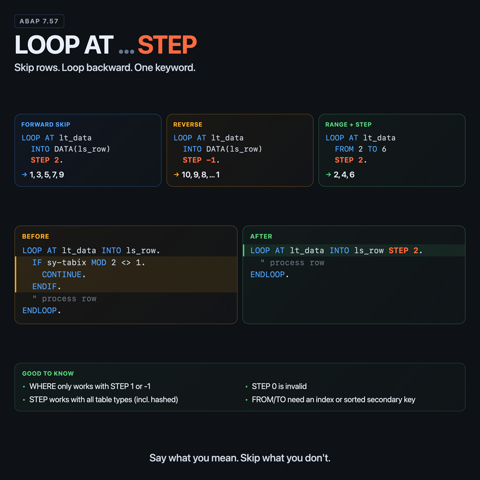
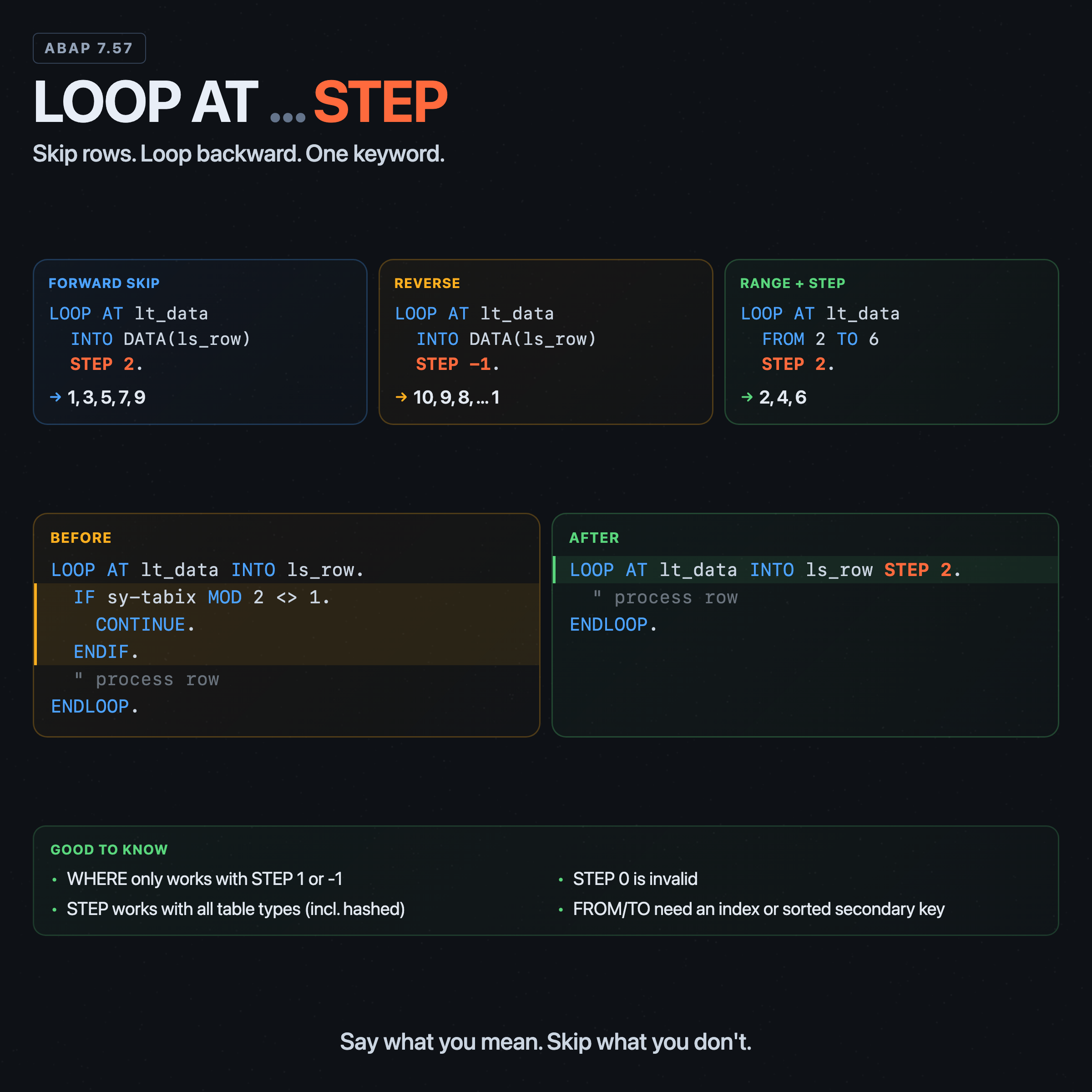
Iterating every second row of an internal table in ABAP used to require a counter variable and a modulo check inside the loop body. Reversing a table meant building a second table or using DESCRIBE LINES and counting down manually. Standard boilerplate for something that should be one word.
Since ABAP 7.57, it is one word: STEP.
The syntax
LOOP AT lt_data INTO DATA(ls_row) STEP 2.
  " processes rows 1, 3, 5, 7, ...
ENDLOOP.
STEP n controls both the direction and the increment. In practice it is usually written after the target variable or after FROM and TO. If WHERE is present, it has to come after STEP. Positive values iterate forward. Negative values iterate backward. The default when STEP is omitted is 1. Zero is not allowed.
Forward with a step size
DATA lt_numbers TYPE STANDARD TABLE OF i WITH EMPTY KEY.
lt_numbers = VALUE #( ( 1 ) ( 2 ) ( 3 ) ( 4 ) ( 5 ) ( 6 ) ( 7 ) ( 8 ) ( 9 ) ( 10 ) ).

LOOP AT lt_numbers INTO DATA(lv_num) STEP 2.
  WRITE: / lv_num.
ENDLOOP.
Output: 1, 3, 5, 7, 9. The loop starts at the first row and advances by 2 each iteration. No sy-tabix MOD 2 check, no counter variable.
Reverse iteration
LOOP AT lt_numbers INTO lv_num STEP -1.
  WRITE: / lv_num.
ENDLOOP.
Output: 10, 9, 8, 7, ... down to 1. The negative step reverses the direction entirely. The loop starts at the last row and moves backward. This replaces the old pattern of looping from lines( itab ) down to 1 using a DO/WHILE with a manual index.
This is not limited to standard tables. On hashed tables, STEP -1 reverses the processing order too. For the primary key, that means reverse insertion order, or reverse sort order after a SORT.
Combining STEP with FROM and TO
STEP works together with FROM and TO to restrict the iteration range wherever the loop has an index to work with. For positive steps, FROM is the lower bound and TO is the upper bound. For negative steps, the range flips: FROM is the higher index and TO is the lower one.
LOOP AT lt_numbers INTO lv_num FROM 2 TO 6 STEP 2.
  WRITE: / lv_num.
ENDLOOP.
Output: 2, 4, 6. Starts at row 2, advances by 2, stops at row 6.
LOOP AT lt_numbers INTO lv_num FROM 5 TO 2 STEP -1.
  WRITE: / lv_num.
ENDLOOP.
Output: 5, 4, 3, 2. Starts at row 5, steps backward by 1, stops at row 2.
The WHERE restriction
STEP can be combined with WHERE, but only if the step size is 1 or -1. Trying to use STEP 2 WHERE ... is a syntax error. The compiler rejects it with a clear message: "For the step size STEP, only the values 1 or -1 may be specified in connection with a WHERE condition."
This makes STEP -1 WHERE ... the practical use case: filtering rows while iterating in reverse.
TYPES: BEGIN OF ty_employee,
         name   TYPE c LENGTH 20,
         dept   TYPE c LENGTH 10,
       END OF ty_employee.

DATA lt_employees TYPE STANDARD TABLE OF ty_employee WITH EMPTY KEY.
lt_employees = VALUE #(
  ( name = 'Alice'   dept = 'DEV' )
  ( name = 'Bob'     dept = 'HR'  )
  ( name = 'Charlie' dept = 'DEV' )
).

LOOP AT lt_employees INTO DATA(ls_emp) STEP -1 WHERE dept = 'DEV'.
  WRITE: / ls_emp-name.
ENDLOOP.
Output: Charlie, Alice. Both filtered and reversed with a single LOOP statement.
Hashed tables
The important point is simple: STEP works on hashed tables. STEP 2 is valid. STEP -1 is valid. STEP -1 WHERE ... is valid too.
The part that does not work is index access. FROM and TO are still index-based, so a hashed table rejects them, even if you write USING KEY primary_key.
If you need FROM, TO, and STEP together on a hashed table, define a sorted secondary key and loop with USING KEY on that key.
What it replaces
Before STEP, reversing required something like:
DATA(lv_lines) = lines( lt_numbers ).
DO lv_lines TIMES.
  READ TABLE lt_numbers INTO DATA(lv_num) INDEX lv_lines - sy-index + 1.
  WRITE: / lv_num.
ENDDO.
And iterating every nth row looked like:
LOOP AT lt_numbers INTO DATA(lv_num).
  IF sy-tabix MOD 2 <> 1.
    CONTINUE.
  ENDIF.
  WRITE: / lv_num.
ENDLOOP.
Both patterns work. Both require the reader to reconstruct the intent from the mechanics. STEP 2 and STEP -1 state the intent directly. The loop declaration tells you everything.
Availability
STEP requires ABAP 7.57 or S/4HANA 2022. It works with standard, sorted, and hashed tables, and with all target forms (INTO, ASSIGNING, REFERENCE INTO).
That does not change the older FROM and TO rules. Without a suitable sorted index, they remain index-based additions. On hashed tables, that means no FROM or TO unless you loop using a sorted secondary key.